TUTORIAL - my first data upload into IRIS
The initial uploading of rheometer data is often cited as the most difficult part of getting started with IRIS. The following tutorial is designed to overcome this hurdle. It is specifically intended to guide newcomers to IRIS.
We begin by preparing rheological data for upload, proceed step by step through the process, and gradually work our way up to more advanced features.
Obviously, this tutorial is unnecessary for established IRIS users. However, there may be newcomers who became interested after seeing your rheological explorations and who can now use this tutorial as an easy starting point for their own rheology work with IRIS
STEP-BY STEP
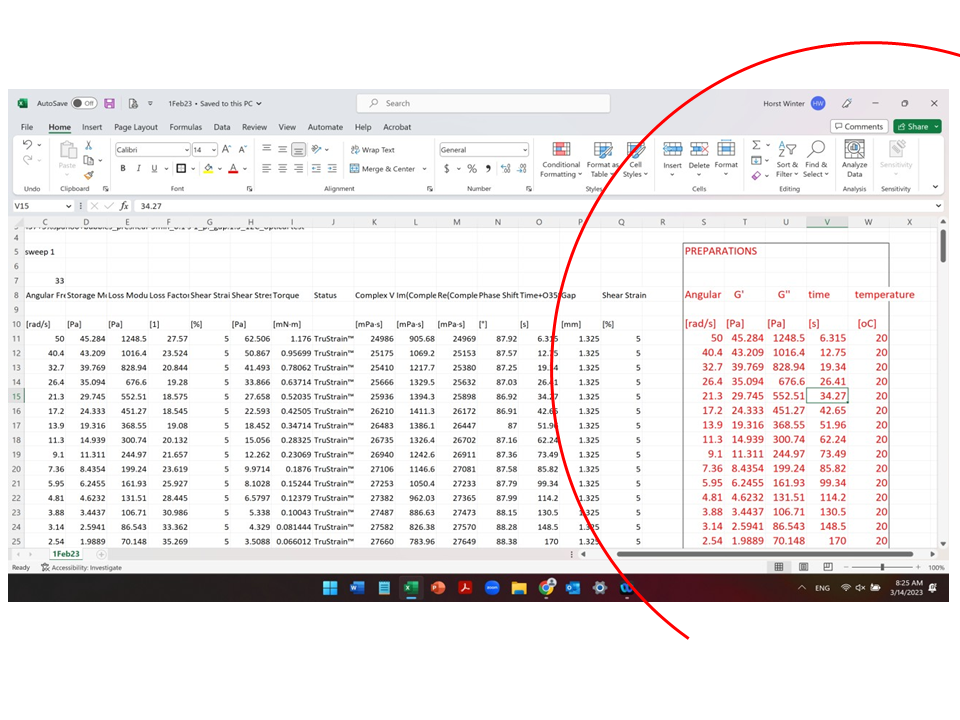
Given: Small amplitude oscillation shear data (SAOS): G’ and G’’ as function of time and temperature;
Wanted Data upload into IRIS Smartplot for analysis and plotting;
Action: Prepare new columns (shown on the right, marked in red) for uploading. The original data remain unchainged (left)
.
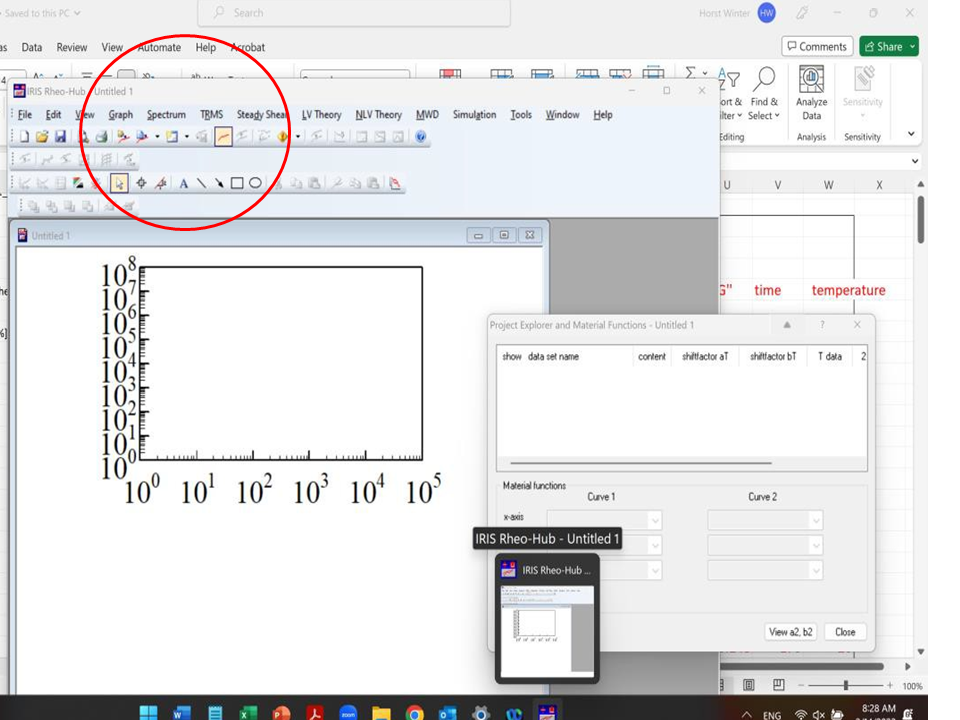
Action: Open IRIS – ready for your data entry
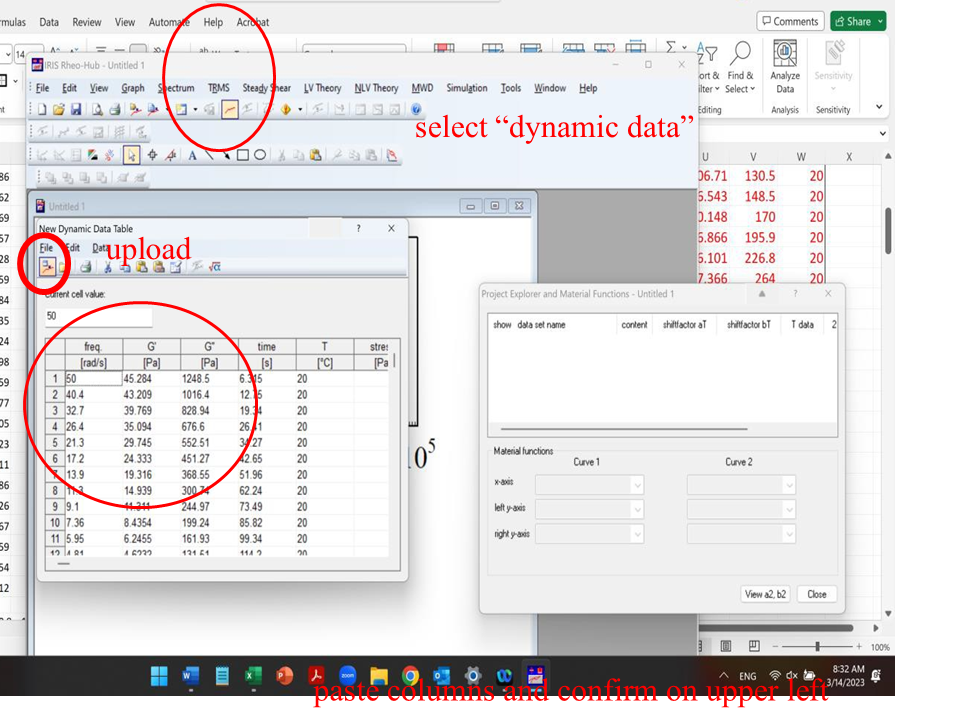
Action: push upload button (select “dynamic data”); copy the prepared columns and paste into IRIS; push “upload button”
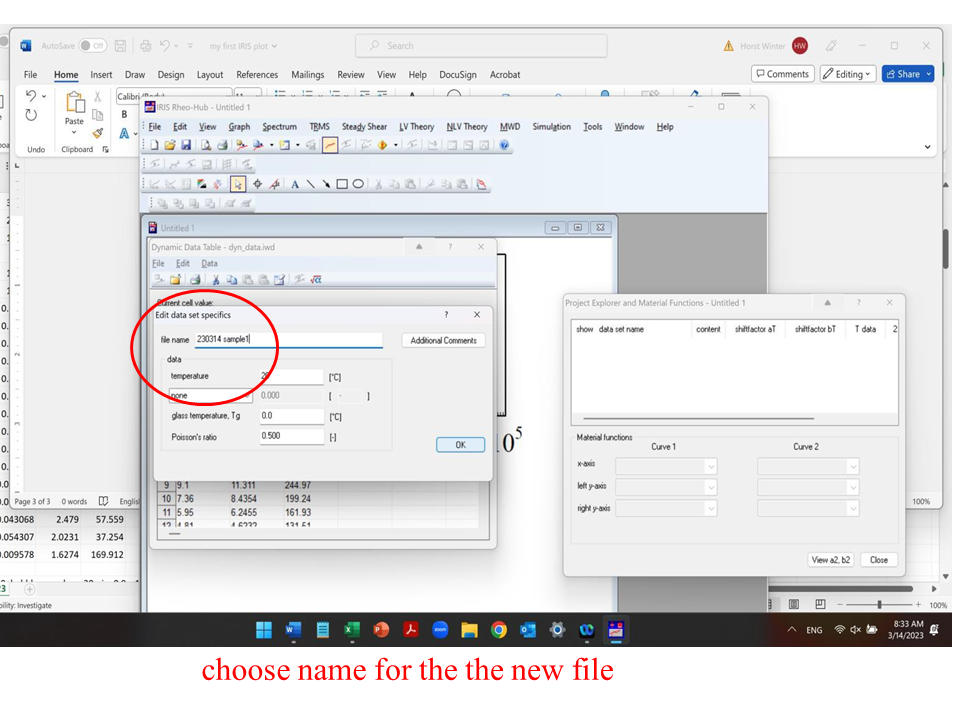
Action: accept the upload by giving it a name
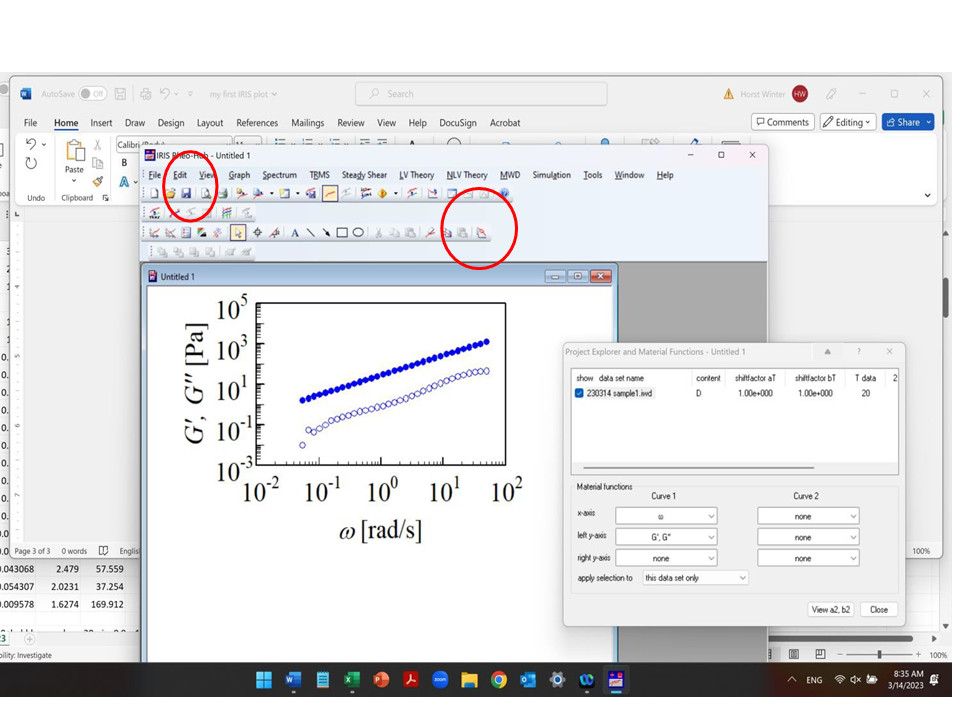
Action: receive plot;
copy (ready for pasting visual into your report or oral); regularly push “save” button. It creates an additional backup file in “IRIS recents”, see further below. It also adds an icon , which can be seen by activating the icon support (separate tutorial)
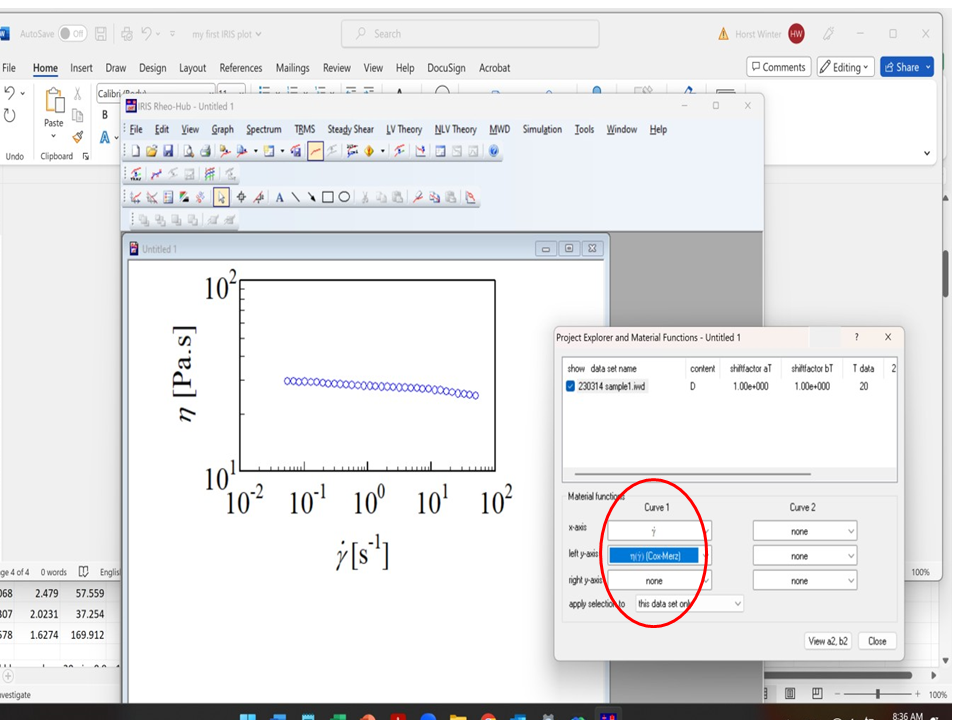
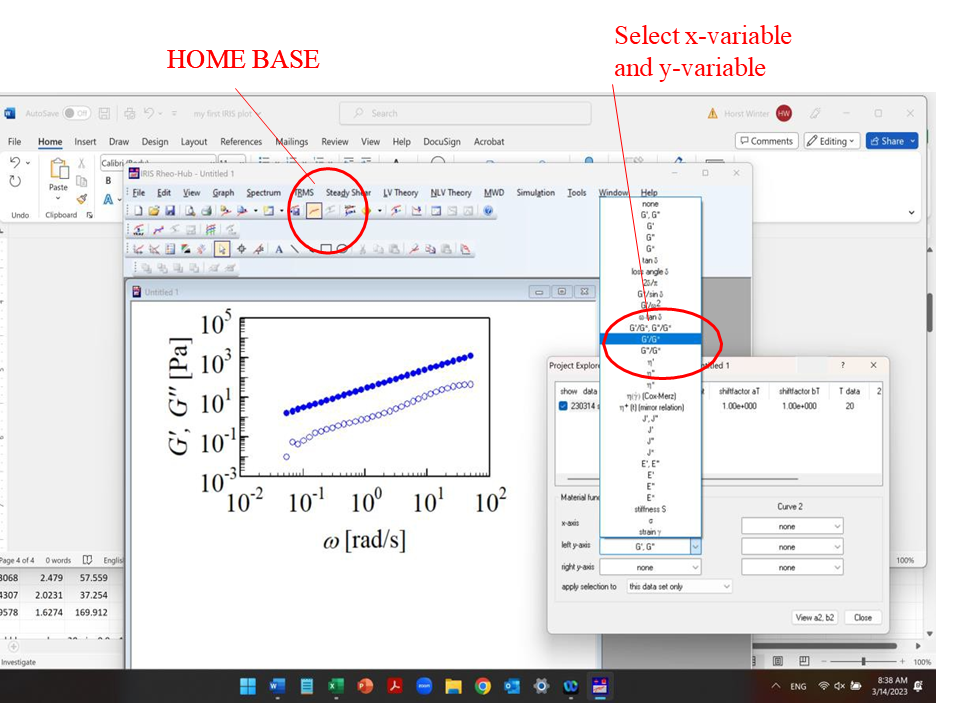
Action: explore material functions (CoxMerz